
Description
Give your WooCommerce emails a consistent, professional look
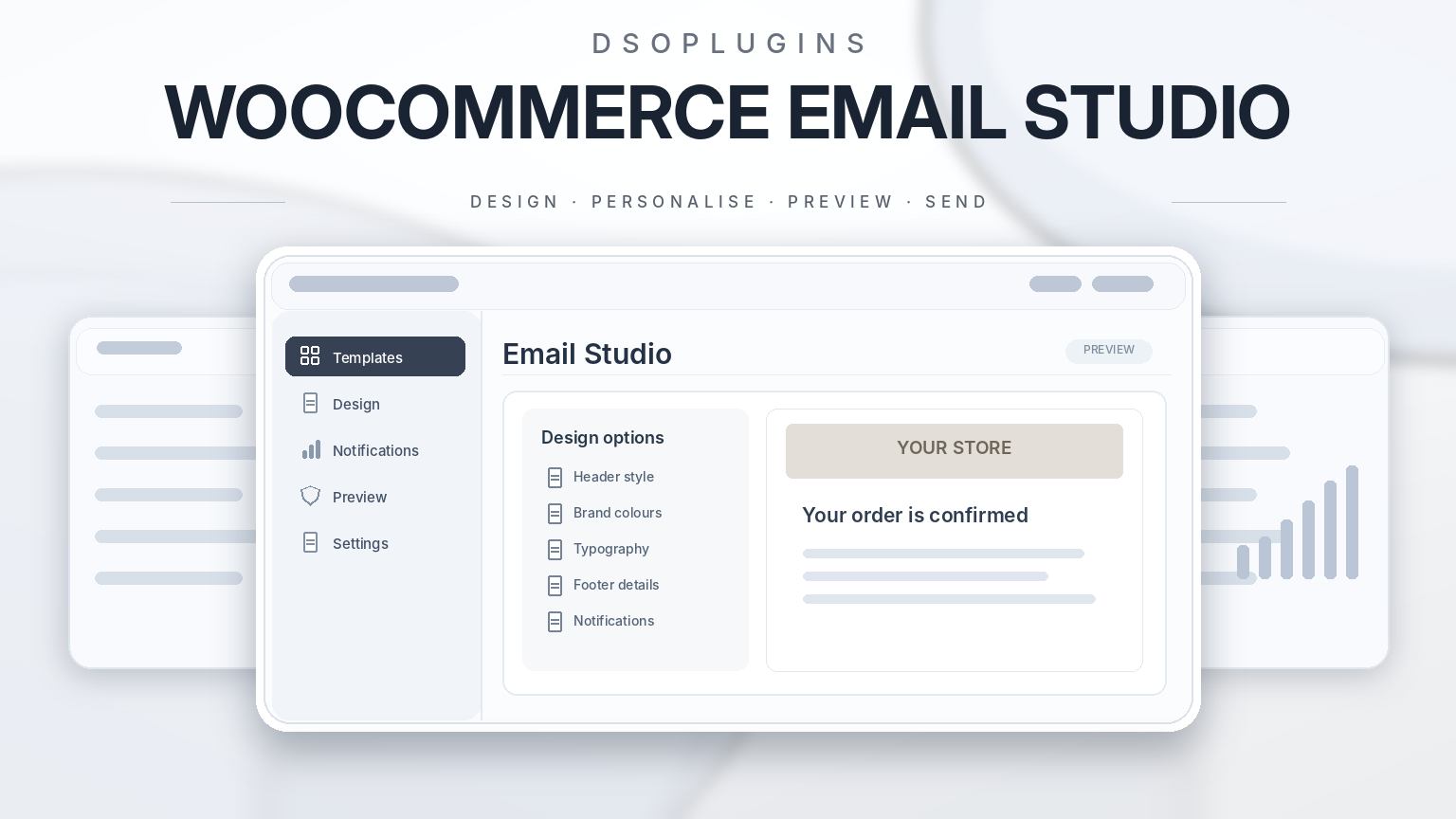
Order confirmations, invoices and account messages are part of your customer experience. DSOPlugins WooCommerce Email Studio helps you bring those emails into line with your brand through custom colours, logos, banners and wording.
Design your emails from the WordPress dashboard, preview changes using WooCommerce’s native templates, and send a test before applying your design to customer communications.
Customise your email branding
Create a consistent appearance across your store’s transactional emails with controls for:
– Accent, background, body, heading and text colours.
– Font family and body text size.
– Email width and corner radius.
– Text and logo alignment.
– Button and button-text colours.
– A brand line below the email heading.
– Footer text and website, Facebook and Instagram links.
Choose your logo directly from the WordPress Media Library and see a preview of the selected image.
Add banners and centred buttons
Add a banner below the email heading and a second banner near the bottom of the message.
Use them for store branding, support information or useful customer guidance. Order emails can also include a centred call-to-action button, linking to a website address, the shop, the customer’s account or their order page.
Edit wording for individual emails
Customise subjects, headings and additional content for supported WooCommerce email types.
Core template previews cover the available:
– New-order notifications.
– Cancelled- and failed-order emails.
– Processing, completed and on-hold orders.
– Customer invoices and notes.
– Refund notifications.
– New-account and password-reset messages.
Available types depend on your installed WooCommerce version. Leave a wording field blank to retain the WooCommerce default.
Personalise content with dynamic placeholders
Make supported order messages more useful with placeholders that insert details automatically.
For example:
– “{customer_first_name}” — the customer’s first name.
– “{order_number}” — the order reference.
– “{order_date}” — the order date.
– “{order_total}” — the formatted order total.
– “{site_title}” — your website name.
Account, shop and order URL placeholders are also available for supported links. Customer and order placeholders require an order-email context.
Add conditional content to order emails
Place your own introduction before the order table, or add supporting information and a button after it.
Choose whether these blocks appear based on:
– Customer or administrator audience.
– Order status.
– Minimum order total.
These conditions control your added content blocks. WooCommerce continues to control whether the transactional email itself is sent.
See changes with live previews
The Design and Email Content screens include a live sample preview, letting you inspect changes before saving.
The dedicated Preview & Test screen lets you:
– Select a supported core email.
– View desktop and mobile preview sizes.
– Use sample data.
– Preview an existing order when permitted.
Previews use WooCommerce’s actual PHP email templates and inline styling. Sample previews do not create saved orders, and existing-order previews do not resend notifications.
Account and password previews use dummy user information without generating working password-reset keys.
Send a test to an address you choose
Check your design in your own mail app with a test email.
Tests go only to the address you enter and use a [TEST] subject prefix. Recent test history records the time, template and mail-system handoff result without storing recipient addresses or email bodies.
Delivery depends on your WordPress mail configuration. A successful handoff does not guarantee inbox delivery.
Reuse designs and restore earlier settings
Start with one of three colour and typography presets, then adjust it to suit your store.
Export your configuration as JSON, preview an imported configuration before applying it, or restore one of the five most recent configuration backups.
Exports include design and template settings. They exclude licence keys, orders, customer information and test-recipient details.
Keep WooCommerce’s essential content intact
Email Studio works around WooCommerce’s transactional email system. WooCommerce continues to manage:
– Recipients and delivery triggers.
– Order tables and totals.
– Billing and shipping details.
– Download information.
– Secure account and password links.
A master switch lets you return to WooCommerce’s normal presentation without disabling transactional emails.
Licensing and updates
Manage domain-based licence activation, status checks and deactivation through the dedicated License screen.
Integrated update checks and package-integrity verification support eligible releases through WordPress. Saved email designs remain in use if your licence becomes inactive; changing settings and receiving updates requires an active licence.
Requirements and compatibility
Requires WordPress 6.7 or later, WooCommerce 9.9 or later and PHP 7.4 or later.
Email Studio supports WooCommerce’s legacy and improved PHP email templates. The newer block-based Email Editor is not supported.
Third-party email templates and theme overrides may affect the result. Extension emails must use standard WooCommerce email filters for wording overrides, while added order-content blocks require the standard order-table hooks.
This release provides settings-based design controls rather than a drag-and-drop body builder. Check test messages in the mail clients your customers use, as rendering can vary.
Make your store’s transactional emails clearer, more consistent and recognisably yours with DSOPlugins WooCommerce Email Studio.


Reviews
There are no reviews yet.