
Description
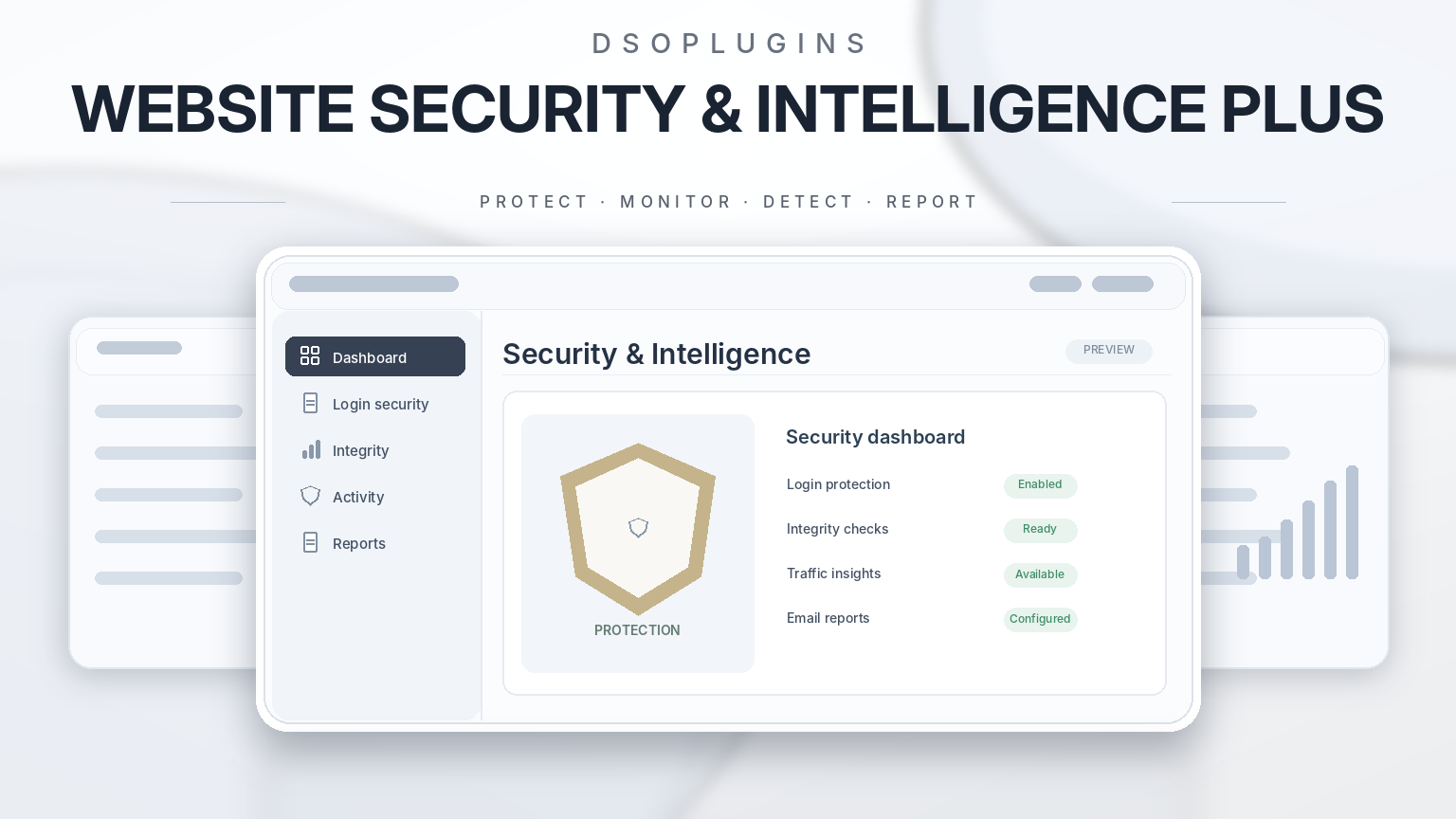
DSOPlugins Website Security & Intelligence PLUS
Professional WordPress Security, Intelligent Monitoring & Complete Peace of Mind
Your website deserves more than basic protection. It deserves a security solution that helps you understand what’s happening, identify potential risks and stay informed about the health of your WordPress installation.
DSOPlugins Website Security & Intelligence PLUS brings essential security monitoring, intelligent activity tracking, login protection, website integrity checks and professional reporting together in one beautifully designed WordPress plugin.
Created for business owners, website administrators, developers and everyday WordPress users, it combines powerful security tools with an elegant, approachable interface.
Whether you manage a personal website, a professional business presence or an online store, you can monitor important security events and make informed decisions without navigating complicated technical dashboards.
Security Made Simple. Intelligence Made Powerful.
Website security isn’t just about responding when something goes wrong. It’s about understanding potential risks before they become bigger problems.
Website Security & Intelligence PLUS gives you a central place to review important activity, investigate suspicious behaviour, monitor your WordPress installation and receive useful security notifications.
With its guided setup wizard, clearly organised dashboard and easy-to-understand information, professional website monitoring becomes accessible even to users without technical experience.
Powerful Features
1. Intelligent Security Dashboard
See important website security information in one convenient location.
– Clear overview of recent security activity.
– Colour-coded information, warnings and alerts.
– Recent security events displayed in responsive cards.
– WordPress integrity monitoring results.
– Quick access to important security tools.
– Mobile-friendly administration interface.
The dashboard helps you understand your website’s security activity at a glance.
2. Login Protection & Failed Login Monitoring
Your WordPress login area is one of the most important parts of your website to protect.
Website Security & Intelligence PLUS helps monitor unsuccessful login attempts and provides configurable rate-limiting protection.
Features include:
– Failed login attempt monitoring.
– Configurable login rate limits.
– Security event recording.
– Visibility into potentially suspicious login behaviour.
– Adjustable protection settings.
Protection settings can be reviewed and configured to suit your website’s requirements.
3. WordPress Core Integrity Monitoring
Unexpected changes to WordPress core files can indicate installation problems or potentially suspicious modifications.
The built-in integrity checker compares supported WordPress core files against official WordPress checksums.
– Detect unexpected core file changes.
– Identify missing or modified files covered by the verification.
– Display clear integrity results.
– Run scheduled integrity checks.
– Review integrity-related security events.
This helps administrators identify changes that may require investigation.
Core integrity verification is not a complete malware scanner and does not replace a dedicated malware inspection service.
4. Bot & Traffic Intelligence
Understand automated traffic signals and unusual request patterns affecting your website.
The traffic intelligence dashboard provides:
– Automation-related request indicators.
– Claimed search engine crawler activity.
– Other self-identified bot traffic.
– Unclassified request activity.
– Colour-coded daily traffic charts.
– Selectable 7, 14, 30 and 90-day reporting periods.
– Mobile-friendly daily activity summaries.
Traffic classifications are based on sampled request information and self-declared user-agent signals. They do not independently verify crawler identity or measure unique human visitors.
This monitoring provides useful context without automatically blocking visitors.
5. Security Activity History
Keep an organised record of important security-related events.
The activity history helps you review:
– Login-related security events.
– WordPress integrity results.
– Administrative changes.
– Plugin and role-related activity.
– Security monitoring notifications.
– Recorded warnings and important events.
Search and filtering tools help you locate relevant information without navigating lengthy technical logs.
6. Visual Security Timeline
Explore recorded security activity over time.
– Visual activity trends.
– Severity-based event summaries.
– Date and category filtering.
– Colour-coded information.
– Easy-to-read event history.
The timeline makes it easier to identify patterns and investigate periods of unusual activity.
7. Optional Suspicious-Path Protection
Certain automated requests repeatedly target sensitive or nonexistent website paths.
Website Security & Intelligence PLUS includes optional controls designed to help manage repeated suspicious-path requests.
– Configurable protection rules.
– IP allow and block lists for supported protection controls.
– Adjustable rate limiting.
– Recorded security activity.
– Recovery guidance.
Potentially disruptive protection options are not automatically enabled without configuration.
8. Email Security Alerts
Stay informed about important security events without constantly opening your WordPress dashboard.
Configure email notifications for supported security activity and receive useful information directly in your inbox.
– Optional security notifications.
– Severity-based alert settings.
– Notification management.
– Test email functionality.
– Controls to help limit repeated alerts.
You decide how your website communicates important security information.
9. Professional Security Reports
Receive beautifully presented security summaries with clear information about your website.
The reporting system includes:
– Scheduled security summaries.
– Daily, weekly or approximately monthly reporting options.
– Security activity summaries.
– Responsive HTML email presentation.
– Email preview and test delivery.
– Configurable report branding.
Reports are designed to be informative, professional and easy to understand.
10. Custom-Branded Email Reports
Make security reports feel like a natural extension of your website.
Personalise report presentation with:
– Your website name.
– Your own logo.
– Custom accent colours.
– Coordinated headings and design elements.
– Configurable footer information.
– Media Library logo selection.
– Email design previews.
Ideal for professional website owners and agencies who value consistent presentation.
11. Beginner-Friendly Setup Wizard
No advanced technical knowledge required.
The guided Setup Wizard introduces the plugin’s important features in a simple, step-by-step process.
It helps you:
1. Get familiar with the security dashboard.
2. Review login protection settings.
3. Configure monitoring preferences.
4. Set up email alerts.
5. Choose security report options.
6. Activate your licence.
7. Review your configuration.
Optional settings can be skipped and revisited later.
Experienced users can continue using the full administration interface.
12. Security Recommendations
Get practical guidance to help maintain a healthier WordPress installation.
The recommendations area provides useful information and links to relevant WordPress maintenance and security settings.
It helps make routine security management easier and encourages good website maintenance practices.
13. Built-In Recovery Guidance
Security settings should never leave website owners uncertain about how to regain access.
The dedicated Recovery section provides instructions for safely disabling the plugin through hosting file management or SFTP if necessary, then reviewing configuration before reactivation.
This is particularly valuable when configuring optional protection rules.
14. Professional Administration Experience
Security software should be powerful without being intimidating.
Enjoy an elegant WordPress administration experience featuring:
– Signature DSOPlugins purple-and-gold styling.
– Professional header and navigation.
– Clear, organised settings sections.
– Colour-coded security information.
– Responsive dashboard cards.
– Mobile-friendly layouts.
– Helpful explanations.
– Dedicated Licence, Guide and Recovery areas.
Everyday security administration becomes simpler, clearer and more enjoyable.
15. Integrated Licensing & Protected Updates
Keep your application connected to the DSOPlugins licensing and update system.
– Annual and lifetime licence options.
– Secure online licence activation.
– Domain-based licensing.
– Clear licence status.
– Licence type and expiry information.
– Verified activated website.
– Protected software update checks.
– Friendly update status messages.
Your licence and update information is available directly within the WordPress administration area.
Designed for Real WordPress Websites
Website Security & Intelligence PLUS is suitable for:
– Personal WordPress websites.
– Small and medium-sized businesses.
– Professional company websites.
– Blogs and content publishers.
– WooCommerce-powered websites.
– Website administrators and developers.
– Agencies managing WordPress installations.
Its combination of approachable administration and detailed security information makes it useful for both beginners and experienced webmasters.
Why Choose DSOPlugins Website Security & Intelligence PLUS?
One central security workspace
Bring monitoring, login protection, integrity verification, activity intelligence and reporting together.
Built for everyday users
Clear descriptions and a guided setup experience make security administration less intimidating.
Intelligent visibility
Understand security events and automated traffic indicators instead of relying on unexplained technical messages.
Beautifully presented reports
Receive professional, custom-branded security summaries.
Control without unnecessary disruption
Optional protection controls can be configured according to your website’s requirements.
Commercial-grade presentation
Enjoy the familiar DSOPlugins administration experience, integrated licensing and protected software updates.
Technical Requirements
– WordPress 6.0 or newer.
– PHP 7.4 or newer.
– A functioning WordPress installation.
– Working email delivery for notifications and reports.
– Internet connectivity for licence verification, updates and supported WordPress integrity checks.
Licensing Options
Annual Licence
A one-year licence for one website, with access to eligible software updates during the licence period.
Lifetime Licence
A licence for one website with no annual licence renewal requirement, subject to the applicable purchase terms.
Licences are managed through the DSOPlugins licensing system.
Important Security Information
Website Security & Intelligence PLUS is designed to complement responsible WordPress security practices.
No security plugin can guarantee complete protection against every cyberattack, vulnerability or malicious activity.
The plugin does not provide comprehensive malware scanning, independently verified bot identification or automatic blocking of all suspicious traffic.
For best results, keep WordPress, themes and plugins updated, use strong authentication, maintain reliable external backups and follow appropriate hosting security practices.
Take Control of Your Website Security
Your website represents your business, your work and your online presence. Understanding its security activity should be straightforward.
With DSOPlugins Website Security & Intelligence PLUS, you gain the tools to monitor important events, identify potential concerns, review WordPress integrity and stay informed through professional reporting.
Protect smarter. Monitor confidently. Stay informed.
DSOPlugins — Powerful Tools. Beautifully Crafted.


Reviews
There are no reviews yet.